 You are waiting for a flight, sitting in a cafe, or killing time in a hotel lobby. You log on to the internet and straight to your favorite chat app without thinking twice. While it may seem harmless, your private chats can be revealed in easily-accessed public areas. Fortunately, there are some basic practices that will help ensure your chats stay safe. Here is what you need to know.
Why Public Wi-Fi Puts Your Chats at Risk
Dozen or hundreds of people at once share public WiFi at the same time. A lot of these networks lack a strong security or have no security at all. This will make it easier for someone nearby to monitor the traffic that passes through the network. Even apps with strong security can give away information like location and what apps you use, if you’re on a network. There is also the issue of fake hotspots, which could mimic the name of an actual hotspot and entice you to connect with it. This is why a quick chat on open Wi-Fi can be riskier than it looks, especially if you share work details, photos, or account codes.
Use a VPN to Encrypt Your Connection
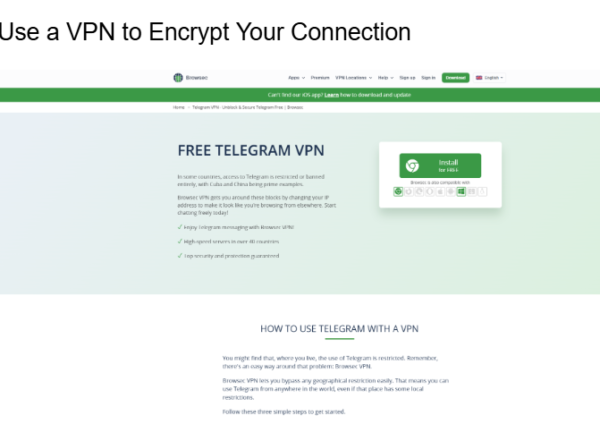
One of the easiest ways to remain private when using a shared network is to use a VPN. It encrypts the data as it is leaving your device, preventing anyone looking over your shoulder from seeing readable data on the Wi-Fi. It also obscures your true IP address, further enhancing your privacy. If Telegram is your main chat app, a VPN for Telegram keeps your messages protected on cafe and airport networks and can also help you reach the app in places where it is blocked. Tools such as Browsec operate on browsers, Android, and IOS and are linked up with a tap. There’s no cost to using it, as you can get a free plan, and Premium offers more server locations and speeds if you require them.
Check That the Network Is Real
Please check with staff or sign on the wall before connecting. Beware of networks with similar names, or one that requires you to install some software first. Beware of a login screen that appears unusual or requests personal information; exit the network immediately. Most people connect without checking and attackers hope that they will. It only takes 10 seconds to check and it could save you a lot of trouble.
Turn On the Privacy Settings in Your Apps
Many of the features you can find in most messaging apps are used by few people. Enable two-step verification to make sure that a stolen password doesn’t compromise your account. See who has been viewing your phone number, when your number was last seen and who viewed your profile photo. To facilitate extremely sensitive chats, utilize secret or end-to-end encrypted chats if your app provides them. Look through the list of active sessions and log out from any device that you don’t recognize. These changes take only a few minutes.

Be Careful With Links, Files, and Auto-Downloads
Scammers are always happy to send deceptive links and files to individuals who are connected to a high-usage network. Avoid clicking links from an unknown person, even if it feels like a pressing message or a friendly message. Stop images, videos, and files from being automatically downloaded, as they could be a malicious file that lands on your phone without you realising it. If it’s a situation you don’t recognize, wait until you’re on a trusted connection.
Smart Habits to Practice Every Day
Update your phone and apps, as new holes in security are plugged by updates that hackers love to exploit. Set up to disable automatic Wi-Fi connection so your device won’t connect to unrecognized networks without asking permission. If you use a network, forget it afterwards and lock your screen with a strong passcode. If you only need to send something quick, consider using your mobile data instead, since it is usually safer than open Wi-Fi.
Conclusion
While it’s convenient to connect to public Wi-Fi, it shouldn’t be at the expense of your privacy. You can chat with confidence, no matter where you are by using a VPN, checking the network, changing your app settings, and being aware of scams. Begin with one or two of these tips and add more as you go. Keep your conversations private, it’s your own.