The digital world is growing more complex, and healthcare professionals must share patient information through electronic health records, scheduling systems, billing systems, laboratory information systems, imaging portals, and communications technologies. Each of these has its role, but frequent changes between tabs and systems affect the clinical workflow and administrative demands, and cause documentation fatigue.
Interoperability is thus now a key priority for modern health organizations, aiming for better efficiency but not compromising the quality of healthcare service and documentation. Smart integration challenges enable clinicians to uncover information that is relevant to them and place it in a single workflow, eliminating repetitive tasks and boosting data precision and consistency.
The rapid advancement of technology in healthcare is driving a transformation in the way clinical systems are interacting, leading to more seamless information flow and user-friendly documentation processes. Healthcare technology is evolving rapidly, and AI solutions for healthcare are reshaping the landscape of clinical system interactions for more seamless information flow and intuitive documentation experiences. Implementing EHRs is no longer just a technical upgrade; it’s a necessity for boosting productivity, minimizing cognitive burden, and enhancing clinical outcomes.
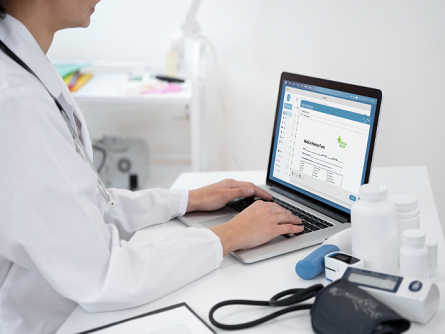
5 Seamless Integration Secrets That Eliminate Tab Switching
1. Connect Clinical Documentation with Diagnostic Coding
The initial steps to successful integration are to make direct linkages between documentation and the diagnostic coding process. Rather than transferring data manually between systems, integrated systems automatically structure or streamline clinical data—keeping diagnoses, procedures, and supporting documentation in sync during the patient visit.
Minimize documentation errors, coding consistency, and reimbursement errors by reducing duplicate data entry. Structured information also helps ensure compliance by enabling clinical documentation to support coding decisions during audits and quality reviews.
Combined documentation and coding allow clinicians to spend more time on patient care and less time on software.
2. Centralize Patient Information Within a Unified Workspace
Accessibility of patient information is one of the main reasons for workflow inefficiency. Clinical history, treatment plans, medications, lab results, appointments, imaging reports, and other information are frequently scattered across different applications and need to be accessed multiple times.
Integrated workspaces bring all of these essential data sources together in one place, and relevant information will all be displayed together, without having to search for it. A common clinical perspective minimizes interruptions and facilitates quicker decisions when interacting with patients.
The centralization of information also fosters greater collaboration among multidisciplinary care teams, enabling them to have access to the latest patient information.
3. Automate Routine Documentation Processes
Many clinical documentation tasks are repetitive administrative jobs, such as filling in templates, updating patient information, arranging encounter reports, and making structured observations. Intelligent automation can alleviate these manual-burden tasks and integrate information directly into work processes.
Automated documentation tools structure clinical discussions in a uniform, standardized format and maintain accuracy and consistency. Clinicians read through and edit intelligently generated drafts, instead of having to recreate the information in a number of different applications.
Automation saves on documentation time and reduces clinician burnout by reducing after-hours charting.

4. Enable Secure Real-Time Data Exchange
Timely and accurate patient information is crucial in modern healthcare. The integration platform should enable secure, real-time communication between EHRs and connected clinical systems without requiring manual synchronization.
Medication changes, laboratory results, imaging reports, referrals, and care plans are up to date across authorized apps via automatic updates. This ongoing exchange of information helps minimize differences in information and enhance continuity of care.
Good interoperability also reduces administrative delays by eliminating duplication and manual record reconciliation.
5. Simplify Authentication and User Navigation
Excessive log-ins and other forms of authentication disconnects can interrupt the clinical workflow. Today, secure single sign-on systems and role-based access control features are a key part of integration strategies, enabling authorized users to navigate seamlessly among connected applications.
Simplified authentication improves security and usability, while ensuring that access safeguards are in place and that passwords are not easy to guess or a burden to remember. The consistent design of the interface also enhances efficiency by reducing the need for extra clicks and steps during the clinical workflow.
Minimizing digital friction enables healthcare staff to stay more focused on patients and other tasks, not on software administration.
End Point
Effective EHR integration creates a seamless clinical experience that enhances patient care, documentation quality, and efficiency, eliminating the silos and challenges that have hindered digital workflows until now. This integration of documentation and coding, consolidation of patient data, automation of repetitive tasks, real-time data transfer, and streamlined navigation can help healthcare organizations minimize administrative burdens and enable more effective, efficient clinical workflows.